
Warning: unserialize(): Error at offset 133 of 250 bytes in /www/wwwroot/comshuyang8/wp-content/themes/softsphere/functions.php on line 120

Warning: unserialize(): Error at offset 133 of 250 bytes in /www/wwwroot/comshuyang8/wp-content/themes/softsphere/functions.php on line 120
Win10桌面图标包v1.0-Win10桌面图标包电脑版-沭阳吧下载网
Warning: unserialize(): Error at offset 133 of 250 bytes in /www/wwwroot/comshuyang8/wp-content/themes/softsphere/functions.php on line 120
精品推荐

    Warning: unserialize(): Error at offset 133 of 408 bytes in /www/wwwroot/comshuyang8/wp-content/themes/softsphere/functions.php on line 120
  • win7仿win8主题win7仿win8主题

  • Warning: unserialize(): Error at offset 133 of 250 bytes in /www/wwwroot/comshuyang8/wp-content/themes/softsphere/functions.php on line 120
  • 系统之家一键重装大师系统之家一键重装大师

  • Warning: unserialize(): Error at offset 11 of 128 bytes in /www/wwwroot/comshuyang8/wp-content/themes/softsphere/functions.php on line 120
  • 定时关机3000定时关机3000
  • 海贼王动漫win7主题海贼王动漫win7主题

  • Warning: unserialize(): Error at offset 133 of 250 bytes in /www/wwwroot/comshuyang8/wp-content/themes/softsphere/functions.php on line 120
  • 暴风win10激活工具暴风win10激活工具
  • 玉历宝钞玉历宝钞

  • Warning: unserialize(): Error at offset 11 of 128 bytes in /www/wwwroot/comshuyang8/wp-content/themes/softsphere/functions.php on line 120
  • 小马win7小马win7

  • Warning: unserialize(): Error at offset 11 of 128 bytes in /www/wwwroot/comshuyang8/wp-content/themes/softsphere/functions.php on line 120
  • 时间还原与文件归理时间还原与文件归理

  • Warning: unserialize(): Error at offset 133 of 372 bytes in /www/wwwroot/comshuyang8/wp-content/themes/softsphere/functions.php on line 120
  • RunAsDateRunAsDate

  • Warning: unserialize(): Error at offset 11 of 128 bytes in /www/wwwroot/comshuyang8/wp-content/themes/softsphere/functions.php on line 120
  • 任务栏修复工具任务栏修复工具

  • Warning: unserialize(): Error at offset 133 of 250 bytes in /www/wwwroot/comshuyang8/wp-content/themes/softsphere/functions.php on line 120
  • vmlitevmlite

  • Warning: unserialize(): Error at offset 11 of 128 bytes in /www/wwwroot/comshuyang8/wp-content/themes/softsphere/functions.php on line 120
  • 局域网监控系统局域网监控系统

  • Warning: unserialize(): Error at offset 133 of 372 bytes in /www/wwwroot/comshuyang8/wp-content/themes/softsphere/functions.php on line 120
  • Everything(文件快速搜索)Everything(文件快速搜索)

  • Warning: unserialize(): Error at offset 133 of 372 bytes in /www/wwwroot/comshuyang8/wp-content/themes/softsphere/functions.php on line 120
  • 装机吧一键重装系统装机吧一键重装系统

  • Warning: unserialize(): Error at offset 133 of 250 bytes in /www/wwwroot/comshuyang8/wp-content/themes/softsphere/functions.php on line 120
  • 百度云盘搜索(资源搜索引擎)百度云盘搜索(资源搜索引擎)
  • xp激活工具xp激活工具

  • Warning: unserialize(): Error at offset 133 of 494 bytes in /www/wwwroot/comshuyang8/wp-content/themes/softsphere/functions.php on line 120
  • EasyUEFIEasyUEFI

  • Warning: unserialize(): Error at offset 133 of 494 bytes in /www/wwwroot/comshuyang8/wp-content/themes/softsphere/functions.php on line 120
  • 黑鲨装机大师黑鲨装机大师

Win10桌面图标包

Win10桌面图标包
  • 更新时间:
  • 软件分类: 系统软件
  • 软件版本: v1.0
  • 软件大小: 1.4M
  • 软件平台: Windows
  • 软件评分: 4分

Win10桌面图标包软件介绍

win10的图标风格非常特别,而且在桌面上都只显示回收站一个图标,很多网友都想修改win10桌面图标。win10桌面图标包内含512px,256px,128px,72px像素win10桌面图标,png+ico格式。还打包了最新的win10扁平化系统图标,给还没有升级win10的朋友尝尝鲜。
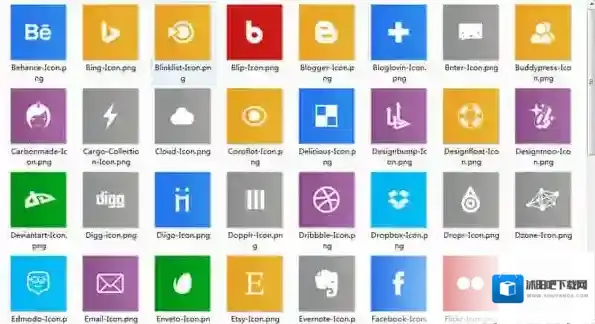
Win10桌面图标包系统图标

Win10桌面图标包系统图标

Win10桌面图标包安装教程

1、下载并安装一款名为软媒魔方的软件。
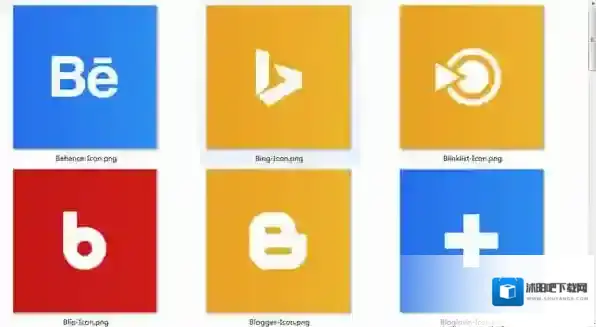
Win10桌面图标包桌面图标

Win10桌面图标包桌面图标

2、在软媒魔方中找到并打开美化大师功能,然后在头部点击切换到“系统图标”选项卡中。

3、在其中选择要更改的系统图标,点击下方“更改图标”按钮,然后在win10桌面图标替换包中选择需要使用的新图标完成图标替换就可以了。

使用说明

推荐使用魔方美化大师更换系统图标1、打开魔方中的美化大师2、在上方选项中定位到系统图标4、选择要更改的系统图标,点击下方“更改图标”按钮进行更改

发表回复

登录后才能评论

评论列表 ( 0条)


Warning: unserialize(): Error at offset 133 of 250 bytes in /www/wwwroot/comshuyang8/wp-content/themes/softsphere/functions.php on line 120